
Bring Your Own Device (BYOD) Policy Tips for Success
Gone are the days when a “bring your own device” or BYOD policy was a rare perk. Today, letting employees use their personal smartphones, laptops, and tablets for work is standard business practice. This shift has been driven by two major forces: the demand for more workplace flexibility and the significant cost savings on company hardware.
Why Bring Your Own Device Is Now a Business Standard

The idea of using personal tech for work isn’t exactly new, but its adoption has skyrocketed recently. What started as a simple convenience has evolved into a cornerstone of modern business strategy. The global move to remote and hybrid work models really sealed the deal, making BYOD a practical necessity. It allowed companies to keep the lights on without the massive logistical headache of shipping corporate-owned gear to a scattered workforce.
This evolution from optional extra to essential policy is backed by some serious financial logic. When employees use their own devices, the company sidesteps the upfront costs of buying, maintaining, and eventually replacing a huge inventory of equipment. Those savings can be substantial, freeing up capital for other, more strategic business goals.
The Push from Employee Expectations
Let’s be honest: today’s workforce wants more autonomy and comfort. People are almost always more skilled and comfortable with the technology they’ve personally chosen and set up. The data backs this up. According to one Forbes study, a significant 49% of employees say they are more productive when using their own device.
This personal preference is a huge driver for BYOD adoption. Think about it—forcing a lifelong MacBook user onto a Windows laptop (or vice versa) just creates unnecessary friction and can grind workflows to a halt. A well-designed bring your own device programme acknowledges and respects these preferences, which naturally leads to a more engaged and effective team.
Here’s something I’ve seen time and again: employees are already using their personal devices for work, whether you have a policy or not. A formal BYOD policy isn’t about introducing a new behaviour; it’s about putting structure and security around something that’s already happening. You’re turning a potential security risk into a managed business advantage.
Enabling Technologies Make BYOD Secure and Practical
The real game-changer for modern BYOD programmes has been the leap in technology that tackles the biggest concern: security. In the past, the idea of personal devices connecting to corporate networks was a non-starter for most IT teams. It was seen as an unacceptable risk.
Now, we have a whole suite of tools that make it possible to lock down company data without invading an employee’s privacy. These include:
- Mobile Device Management (MDM): These platforms are the bedrock, allowing IT to enforce security rules like requiring strong passcodes and, crucially, remotely wiping company data from a lost or stolen device.
- Containerisation: This clever tech creates a secure, encrypted “work profile” or container on an employee’s phone or tablet. All your corporate apps and data live inside this bubble, completely walled off from their personal stuff.
- Cloud PCs and Virtual Desktops: These solutions stream an entire corporate desktop to any device. The beauty here is that no sensitive data is ever actually stored on the employee’s personal hardware.
The growth in this space has been massive. In India, for instance, the BYOD market is booming, mirroring a wider trend across the Asia Pacific region. Projections point to a compound annual growth rate of around 16.7% from 2025 to 2034. This is largely fuelled by the demand for flexible work and the very real need for companies to trim their IT budgets. In fact, this shift has reportedly helped Indian companies slash device-related costs by as much as 30-40% in some sectors. You can dig into more data on the BYOD market growth to see the full regional picture.
Crafting a Practical BYOD Policy Framework
A solid bring your own device (BYOD) policy is so much more than a document—it’s the very foundation that makes the whole programme work. It’s an agreement that clearly lays out expectations, protects both the business and your people, and stops confusion before it even starts.
Putting this framework together isn’t about just listing a bunch of rules. It’s about creating a practical, easy-to-understand guide that everyone can get behind. The goal is to move from a vague idea to a concrete plan, detailing everything from which gadgets are welcome to how staff will be supported when things go wrong.
Defining Eligible Devices and Operating Systems
One of the first big calls you’ll need to make is which devices are allowed. While the spirit of BYOD is all about flexibility, an “anything goes” attitude can quickly turn into a massive headache for your IT team from a support and security perspective. You have to set a baseline for what’s acceptable.
For instance, you might decide to support iPhones running the two most recent iOS versions, alongside Android devices from major players like Samsung and Google, also on the latest two OS versions. This isn’t about being exclusive; it’s about being practical. By limiting the scope, you ensure your IT team can actually provide effective help and that security software will run as intended.
A few key things to consider when setting these standards:
- Operating System (OS) Versions: Only permit devices that run modern, supported operating systems. This is non-negotiable, as they receive the regular security patches needed to keep your network safe.
- Device Age and Model: Older gadgets might not have the processing power or security features to handle company apps securely. Set a reasonable cut-off.
- Device Type: Be crystal clear about whether the policy covers smartphones, tablets, laptops, or all of the above.
Getting ahead of this prevents the nightmare scenario of an employee trying to connect an old, insecure device to your network and unknowingly opening a door for cyber threats.
Establishing Clear Acceptable Use Guidelines
Once you’ve figured out what devices can be used, the next step is clarifying how they can be used. This is where an Acceptable Use Policy (AUP) comes in—it’s a critical piece of your BYOD framework that outlines the ground rules for employees. You need to strike that delicate balance between protecting the company and respecting employee freedom.
Your AUP should spell out any prohibited activities in no uncertain terms. This could include things like visiting inappropriate websites, downloading unvetted apps that might hide malware, or using the device’s camera in sensitive office areas. The language has to be direct to avoid any “I didn’t realise” moments later.
A common mistake is making the AUP far too restrictive. Don’t forget, it’s their personal device. Instead of trying to lock down every single function, focus on what really matters: protecting company data. For example, rather than an outright ban on social media apps, you could simply mandate that company files cannot be shared through them. This respects privacy while still managing the risk.
Structuring Reimbursement and Support Protocols
A major point of friction in any bring your own device programme often boils down to money. Employees will naturally want to know if the company will chip in for their device or their monthly data plan. Your policy must tackle this question head-on with a clear, fair reimbursement model.
A few popular approaches include:
- A flat monthly stipend: This is the simplest route. You give a fixed amount to each participating employee to help offset their costs.
- Usage-based reimbursement: This model involves paying back employees for the specific amount of data they used for work tasks. It’s fair, but can be a bit more complicated to track.
- No reimbursement: Some companies, especially those where BYOD is an optional convenience rather than a requirement, may choose not to offer any reimbursement.
Whichever path you take, document it clearly. Transparency here is key to keeping everyone on the same page and avoiding feelings of unfairness. Ambiguity is just asking for employee dissatisfaction.
Beyond the finances, you also need to define what level of IT support employees can expect. Your IT team can’t become a free-for-all tech support service for personal device issues. The policy should specify that support is strictly for work-related applications and securing the connection to the company network.
For example, IT will help an employee set up their corporate email but won’t troubleshoot a problem with their personal gaming app. This simple boundary manages expectations and saves your IT helpdesk from being swamped with requests that are out of scope, protecting everyone’s time and energy.
Mastering The Security Side Of BYOD
Let’s be honest: security is the single biggest hurdle you’ll face with any bring your own device programme. The benefits of BYOD are clear, but the idea of company data floating around on personal, unmanaged devices can give any IT leader sleepless nights. The good news is that with a smart, well-structured security strategy, this challenge isn’t a roadblock—it’s just a process to manage.
The threats are both real and varied. They can be as simple as an accidental data leak, like an employee saving a sensitive work file to their personal cloud storage. Or they can be far more malicious, such as an attack exploiting an unsecured public Wi-Fi network. The key isn’t to panic. It’s to build a layered defence that protects your organisation without making life impossible for your employees.
This infographic gives a great snapshot of the common security risks that analysts watch for when personal devices connect to a corporate network.
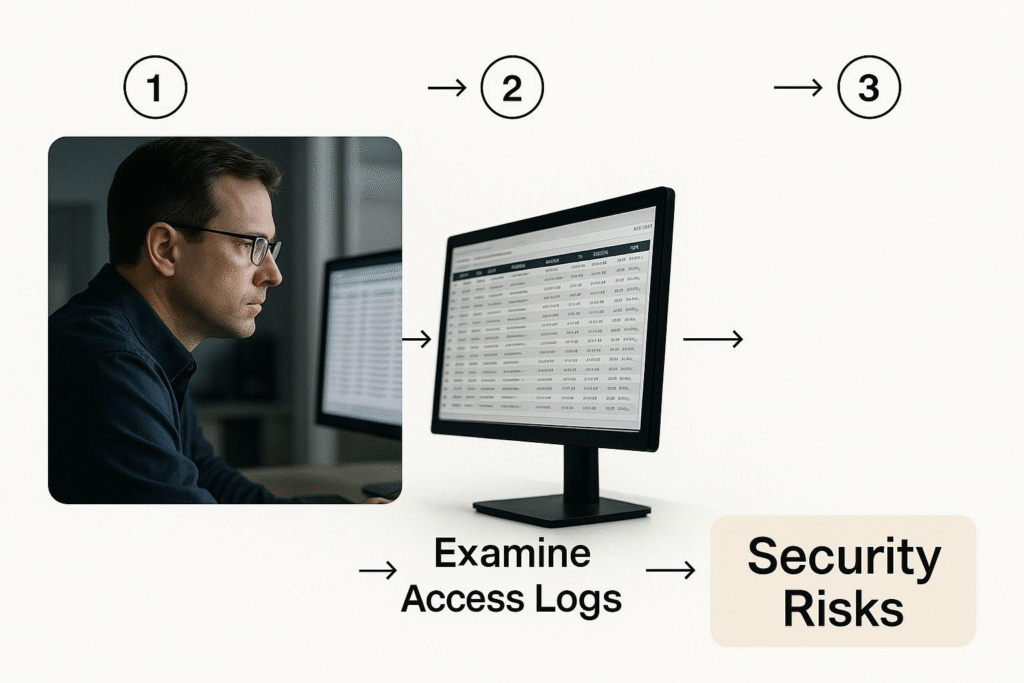
As the image shows, a modern security approach has to be proactive. It’s all about monitoring access logs and spotting strange behaviour before it blows up into a serious breach.
Your Essential Security Toolkit
A solid BYOD security plan isn’t about finding one magic tool. It’s about combining several technologies to create a truly secure environment. The three core pillars you’ll constantly hear about are Mobile Device Management (MDM), Mobile Application Management (MAM), and containerisation. They might sound similar, but they each do something distinct and vital.
- Mobile Device Management (MDM): Think of MDM as your foundational control. It lets your IT team push out broad security policies to the entire device. This covers the basics like requiring strong passcodes, enforcing screen locks, and—most importantly—giving you the power to remotely wipe the device if it’s ever lost or stolen.
- Mobile Application Management (MAM): MAM is much more focused. Instead of managing the whole device, it only controls the corporate apps installed on it. Employees often prefer this approach because it feels less intrusive; IT can’t see or mess with their personal apps and data.
- Containerisation: This is arguably the most elegant solution of the three. Containerisation creates a separate, encrypted “work profile”—a secure digital bubble on the employee’s device. All company apps, data, and emails live inside this container, completely isolated from everything personal. If an employee leaves, you just delete the container, and their personal data remains untouched.
Here’s a key takeaway: you don’t have to pick just one. Many modern security platforms, now often called Unified Endpoint Management (UEM) solutions, blend MDM, MAM, and containerisation. This lets you create a flexible policy that applies the right amount of control for different people. For instance, a senior executive with access to top-secret data might get a fully managed device, while a short-term contractor gets a simple containerised setup.
This concern over security isn’t just a local issue; it’s a global one. In India, for example, BYOD adoption is through the roof, with over 80% of enterprises implementing these strategies. But this comes with a lot of anxiety; around 86% of IT heads admit they are worried about the rising risk of mobile cyberattacks.
This tension is fuelling massive growth in the global BYOD security market. It’s projected to explode from about $11.27 billion in 2025 to over $316 billion by 2037. To really grasp the scale of this shift, you can explore the trends shaping the BYOD security market.
Building A Secure BYOD Programme
To effectively protect corporate data on personal devices, you need a multi-layered security approach. No single tool is a silver bullet. Instead, combining several solutions provides the robust defence necessary in today’s threat environment. The table below breaks down some of the most critical measures.
| Security Measure | Primary Function | Best Practice for Implementation |
|---|---|---|
| Multi-Factor Authentication (MFA) | Adds a crucial second layer of verification beyond just a password to prevent unauthorised access. | Mandate MFA for all applications and services that handle company data. Use authenticator apps over SMS where possible. |
| Mobile Device Management (MDM) | Allows IT to enforce security policies on the entire device, like passcodes and encryption. | Use MDM to set baseline security standards. Ensure you have the capability for remote wipe in case of loss or theft. |
| Containerisation / MAM | Isolates corporate apps and data in a secure, encrypted “container” separate from personal data. | This is ideal for a privacy-first approach. It lets you secure business data without managing the employee’s entire device. |
| Endpoint Detection & Response (EDR) | Continuously monitors devices for threats and provides tools to investigate and respond to attacks. | Deploy an EDR solution that is lightweight and works across both mobile and desktop operating systems. |
| Secure Web Gateway (SWG) | Filters web traffic to block malicious websites, phishing attempts, and malware downloads. | Route all device traffic through an SWG, whether the employee is in the office or on public Wi-Fi. |
By implementing a combination of these measures, you create a formidable defence that protects your company’s valuable information while still offering employees the flexibility of using their own devices. This balanced strategy is the cornerstone of a successful and secure BYOD programme.
Non-Negotiable Security Layers
Beyond the core management tools, some security practices are just not up for debate. Think of these as the essential layers that fortify your defences against the most common attacks out there.
First on the list is Multi-Factor Authentication (MFA). It’s non-negotiable. Requiring a second proof of identity—like a code from an app or a fingerprint scan—makes it incredibly difficult for a hacker to get in, even if they’ve stolen an employee’s password. It’s a simple step with a massive security payoff.
Next, you have to establish clear data access controls. Not every employee needs access to every single file. By using a principle of least privilege, you make sure people can only see and use the data and apps that are absolutely essential for their job. This dramatically limits the potential damage if a device is ever compromised.
Finally, never underestimate the power of regular employee training. Your team is your first line of defence. They need to be taught how to spot phishing scams, understand the dangers of using unsecured public Wi-Fi for work, and know why it’s critical to report a lost or stolen device immediately. A strong security culture is just as vital as any technology you buy. For more tips on building a tech-aware workforce, check out our guides on information technology best practices.
Staying Compliant with Legal and Data Regulations
Let’s be clear: a bring your own device policy is much more than a simple IT document. It’s a legally significant agreement that carries major consequences. When personal devices start handling corporate data, you step into a complex world of regulations. Getting this right is absolutely crucial to protect your organisation from hefty fines, legal battles, and serious reputational damage.
The second an employee checks their company email on their personal phone, a host of questions about data ownership, privacy, and liability pop up. In a world with powerful data protection laws, your policy needs to provide crystal-clear answers. Ignoring these legal dimensions isn’t just a bit risky—it’s a direct threat to your business.
Navigating Data Protection and Privacy
The single biggest legal hurdle for any BYOD programme is data protection. Here in India, the Digital Personal Data Protection Act (DPDPA) lays down strict rules for how companies must collect, handle, and process personal information. If you work with European clients, you also have the General Data Protection Regulation (GDPR) to think about, which comes with eye-watering penalties for non-compliance.
These laws grant individuals—including your employees—significant rights over their personal data. A BYOD policy has to respect these rights explicitly. You can’t, for example, demand total access to an employee’s device just because you’re worried about security. Your access has to be strictly limited to corporate data, usually kept safe within a secure container.
This is a critical point: The employee’s personal photos, messages, and apps are completely off-limits. Your policy, and the tech you use, must be able to surgically separate corporate life from personal life. If you can’t, and a remote wipe erases an employee’s personal memories, you could be in serious legal hot water.
To stay on the right side of the law, your policy must clearly spell out:
- What data is collected: Be specific about what your security software monitors (e.g., device compliance status, app inventory within the work profile).
- Why it’s collected: Explain the purpose, which is almost always to secure company data and protect the network.
- How data is protected: Detail your security measures, like encryption and containerisation, that keep both corporate and personal data safe.
- Employee consent: You must get explicit, informed consent from employees before they enrol their devices.
Data Ownership and Breach Responsibility
If a data breach happens on a personal device, who’s to blame? Your BYOD policy needs to tackle this question head-on. Generally, the organisation is still the data controller and is ultimately responsible for protecting its data, no matter where it’s stored.
This means you need clear procedures for when a device is lost, stolen, or compromised. The policy must give the company the explicit right to remotely wipe only the corporate data from the device. This action protects the company without stomping all over the employee’s personal life, especially if you’re using containerisation technology. An employee’s failure to report a lost device immediately should also have clearly defined consequences.
Of course, having these procedures is only half the battle; you have to communicate them effectively. Making sure your team understands their role in data security is paramount. This also involves keeping accurate employee contact information, a process that gets a lot easier with regular verification. For instance, using a trusted service to run an email verification check helps ensure that critical security alerts and updates actually get to the right person.
Labour Law and Reimbursement Considerations
Beyond data privacy, BYOD policies also run into labour laws, especially around compensation. If you require employees to use their personal phones or laptops for their job, you might be obligated to reimburse them for business-related usage.
Failing to do this can spark wage and hour claims. It’s easy to imagine an employee arguing they are shouldering company operational costs by paying for a mobile data plan that’s essential for their work. The best way to sidestep this is to set up a fair and transparent reimbursement model.
Some common approaches include:
- A fixed monthly stipend: This is the simplest option, offering a set amount to each employee in the programme.
- Usage-based reimbursement: A more precise model that covers the actual cost of data used for work, but it requires more tracking and administration.
- Providing a choice: Some companies give employees the option between a corporate-owned device or a stipend to use their own.
Whatever model you lean towards, have your legal counsel review it to ensure it lines up with local labour laws. The real goal is to create a policy that’s not just legally sound but also fair, building trust and stopping disputes before they even have a chance to start.
How BYOD Boosts Productivity and Employee Morale

While it’s easy to get caught up in the technical frameworks and security rules, the real magic of a bring your own device programme is its impact on people. A well-designed BYOD policy is all about empowering your team, showing trust, and giving them the tools they’re most comfortable with. When you focus on the employee experience, the payoff is huge—not just in productivity, but in a real, noticeable lift in morale.
The logic is simple. When your team uses their own devices, there’s no learning curve. They’re already masters of their own tech, zipping through their favourite operating system and apps with a speed that clunky, company-issued hardware can rarely match. This familiarity translates directly into efficiency. People spend less time fighting with unfamiliar interfaces and more time just getting the work done.
The Power of Personal Preference and Productivity
Think about it. Tapping out an email or building a presentation on a laptop you personally picked out and set up just feels faster and more natural. Forcing someone to use a foreign device creates tiny moments of friction that add up throughout the day, slowing down workflows and building frustration.
This isn’t just a feeling; the numbers back it up. One study found that 49% of employees say they are more productive when using their own device. When people can work on the equipment they know inside and out, tasks simply get done quicker. It’s a powerful mix of familiarity, customisation, and the pure comfort of using a device that fits right into their life.
From my experience in recruitment, the best talent often expects this kind of flexibility. A rigid, one-size-fits-all approach to tech can be a real turn-off for high-performers who are used to a more agile, personalised way of working. A great BYOD policy sends a strong signal that you trust your people and respect their individual styles.
Enhancing Job Satisfaction and Work-Life Integration
A good BYOD policy does more than just make people faster; it genuinely improves job satisfaction and helps them juggle their work and personal lives. Let’s be honest, carrying two phones—one for work, one for personal use—is just clumsy and inconvenient for most people.
Letting them use a single device streamlines their whole day. In fact, research shows that a massive 78% of employees believe using one mobile device helps them better balance their professional and personal lives. This integration gives them a sense of control and convenience that directly boosts morale and makes them feel more positive about their employer. It removes a layer of daily hassle, making work feel less like an intrusion and more like a connected part of their world.
That said, there’s a crucial preference to consider. A 2024 survey of urban Indian enterprises revealed that while 50.3% of employees use personal devices for work, a staggering 80% still prefer to keep their work and personal data separate. Interestingly, the same study noted that companies saw up to a 20% boost in employee satisfaction from BYOD, mostly driven by device familiarity. You can discover more insights from the 2024 BYOD survey to see how these preferences are evolving.
BYOD as a Key Talent Attraction and Retention Tool
In a competitive job market, it’s the small things that often make the biggest difference. A thoughtful, employee-first BYOD programme can be a serious advantage in the war for talent. It signals a modern, flexible, and trust-based culture—all things that top candidates are looking for today.
This turns BYOD from a simple IT policy into a strategic part of your employer brand. It shows you’re a forward-thinking company committed to a great employee experience. This is especially powerful when you’re trying to build a diverse and inclusive workforce, as flexibility can accommodate different needs and working styles, making you more attractive to a wider talent pool. To explore this further, check out our guide on how Taggd can help with embracing diversity in hiring.
Ultimately, when your team feels trusted and has the freedom to work in a way that suits them best, their loyalty and engagement go up. This reduces turnover, saves the high costs of recruiting and training, and helps you build a more stable, motivated, and productive team for the long haul.
Common Questions About BYOD Policies
Even with a perfectly detailed framework, you can bet questions will come up when you roll out a bring your own device programme. That’s completely normal. Diving into the nitty-gritty details helps get everyone on the same page, turning any potential confusion into solid confidence.
Let’s walk through some of the most common queries that pop up. Tackling these questions head-on is the best way to build trust and show you’ve really thought through how this policy will work for everyone involved.
What Happens If an Employee’s Device Is Lost or Stolen?
This is usually the first and most urgent question. When a device goes missing, the top priority is to protect company data. Your policy must make it clear that employees should report a lost or stolen device to IT immediately.
Once IT is alerted, they need the authority and tools to trigger a remote wipe. The type of security in place determines what happens next.
Using containerisation or MAM:
This is the ideal setup. IT can wipe only the secure corporate container. All personal photos, apps, and data remain untouched. It protects privacy while securing company information.
Using full MDM control:
If the entire device is under management, a full remote wipe may be the only option, clearing everything. Because this is drastic, you must communicate this possibility upfront before anyone enrols in the programme.
Your policy should also cover employee responsibility. Accidents happen, but repeated negligence may be a valid reason to remove someone from the BYOD programme.
Who Pays for Device Repairs?
It is simple. Since the employee owns the device, they are responsible for repairs. This includes cracked screens, dead batteries, and any other hardware issues.
The company’s responsibility is limited to the corporate data on the device, not the physical hardware. Make this clear in your policy to prevent misunderstandings.
A helpful analogy is a car allowance. If someone uses their personal car for work, the company does not pay for new tyres or oil changes. The same logic applies here.
Setting this boundary manages expectations and prevents IT from becoming a phone repair centre, which is not their role in a BYOD environment.
Can the Company See My Personal Information?
This is a major employee concern, and the answer should be an unequivocal no, provided you use the right technology. Modern approaches like containerisation create a strong boundary between work and personal data.
IT administrators can see information about the work container, such as which corporate apps are installed and whether security settings are compliant. They have no visibility into personal apps, photos, messages, or browsing history.
Your policy must state this clearly. Protecting privacy is essential for trust. When employees know exactly what IT can and cannot see, most concerns disappear and adoption becomes easier.
Ready to build a flexible, productive, and secure workforce? Taggd specialises in Recruitment Process Outsourcing, helping you attract top talent by creating modern, effective workplace strategies, including robust BYOD programmes. Discover how we can help you build the team of the future by visiting us at https://taggd.in.